AI-Powered Moderation
Every JamComments account can automatically approve comments, but that risks letting spam or inappropriate content through. Paid plans include AI-powered moderation to solve this — you set the rules, and AI decides whether each comment meets them.
How It Works
Section titled “How It Works”- You write a prompt explaining what kinds of comments should be approved
- When someone submits a comment, JamComments sends it to Claude (Anthropic’s AI)
- The AI responds with “approve” or “reject” based on your criteria
- Approved comments go live immediately; rejected ones wait for manual review
Setting Up AI Moderation
Section titled “Setting Up AI Moderation”1. Check Your Plan
Section titled “1. Check Your Plan”AI moderation requires a paid plan. Check your current plan at the Settings page.
2. Enable Auto-Approval
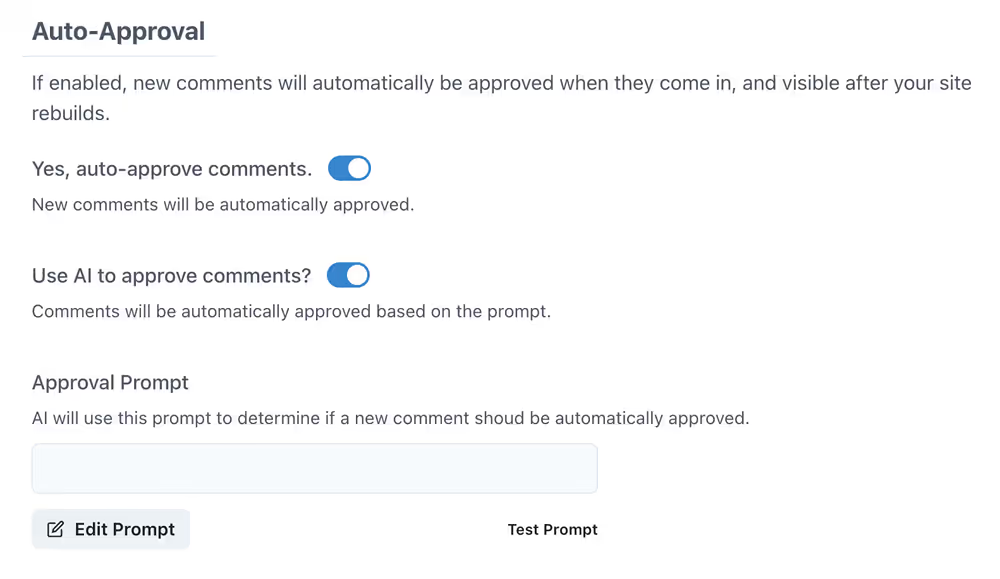
Section titled “2. Enable Auto-Approval”Go to your site’s settings and scroll to the Auto-Approval section. Toggle the switch:
3. Write Your Prompt
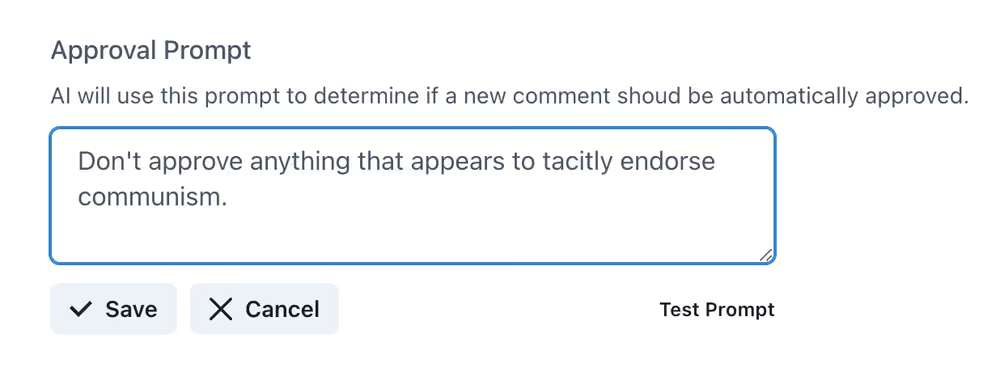
Section titled “3. Write Your Prompt”Next, write a prompt explaining what makes a comment acceptable. Be specific!
Example prompts:
- “Only approve comments that are constructive and respectful. Reject spam, promotional content, or anything offensive.”
- “Approve comments that ask genuine questions or add meaningful insights. Reject one-word replies like ‘nice’ or ‘thanks’.”
- “Approve all comments except those containing profanity, hate speech, or personal attacks.”
4. Test Your Prompt (Optional)
Section titled “4. Test Your Prompt (Optional)”Click the “Test Prompt” link below your prompt to try it against sample comments:
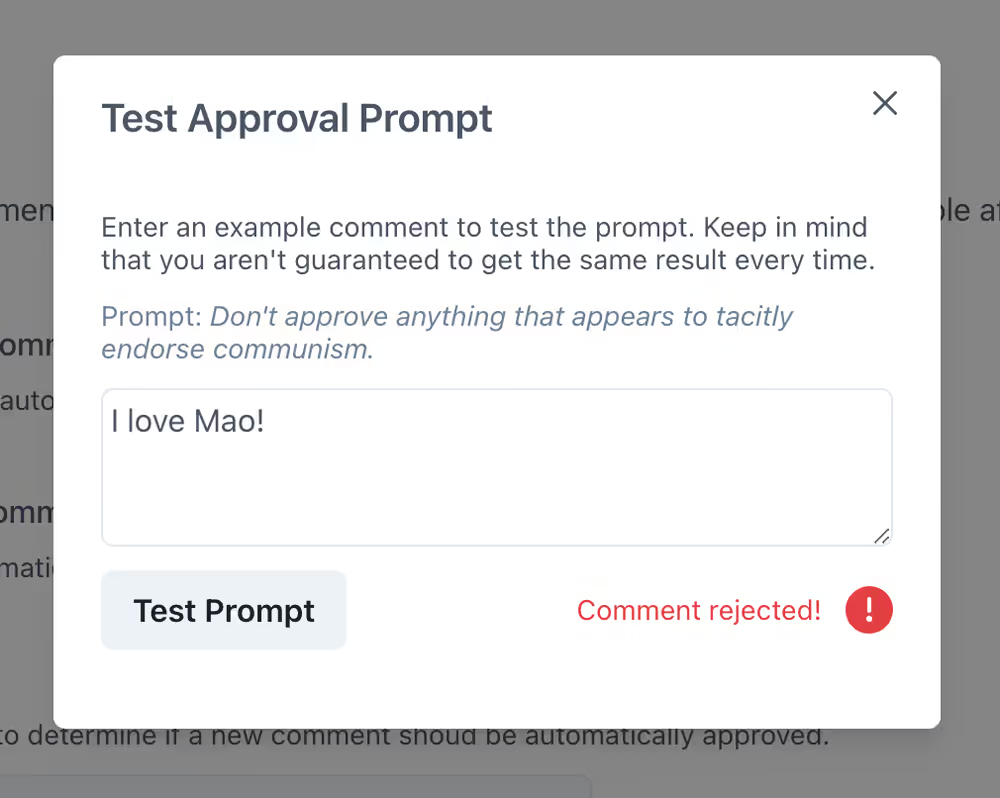
You can run up to 5 tests per minute.