Using a Custom Host
By default, JamComments loads assets and accepts comment submissions from go.jamcomments.com. If you prefer everything to come from your own domain — whether for stricter Content Security Policies (CSP) or just personal preference — you can set up a custom host.
Important: Set Up Rewrites First
Section titled “Important: Set Up Rewrites First”Don’t enable this feature until you have URL rewrites configured. Without proper rewrites, your comment form won’t work — visitors won’t be able to submit comments.
How to Enable Custom Host
Section titled “How to Enable Custom Host”- Go to your site’s settings in the JamComments admin
- Scroll to the “Custom Host” section
- Enter the domain (and optional path) you want to use
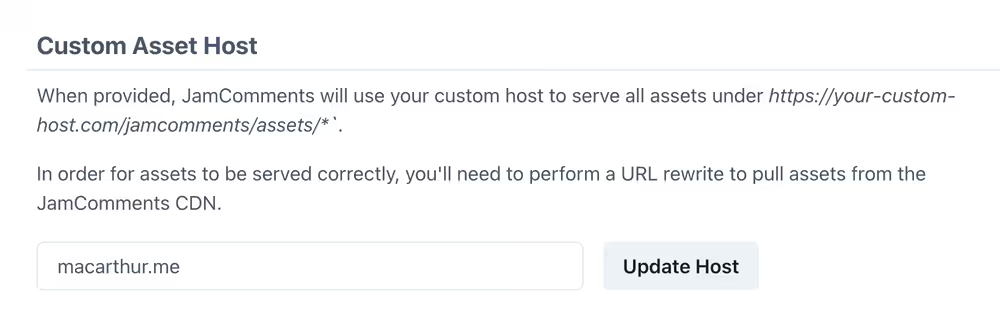
Valid formats:
your-site.comblog.your-site.comyour-site.com/some/path
Saving will trigger a rebuild of your site (if you have webhooks set up), which is why you need those rewrites in place first.
Setting Up Rewrites by Platform
Section titled “Setting Up Rewrites by Platform”Choose your hosting platform for specific instructions: